Log meals with ease
Search for food, scan a barcode or reuse your own recipes. Keep meals together for a clear view of your day.
 Kalorikoll
Android · offline · no account
Log meals and track calories, nutrition and weight in a free Android app – with no account, ads or subscription.
How it works
Log your food, look back and get to know your habits – one step at a time.
Kalorikoll
Search for food, scan a barcode or reuse your own recipes. Keep meals together for a clear view of your day.
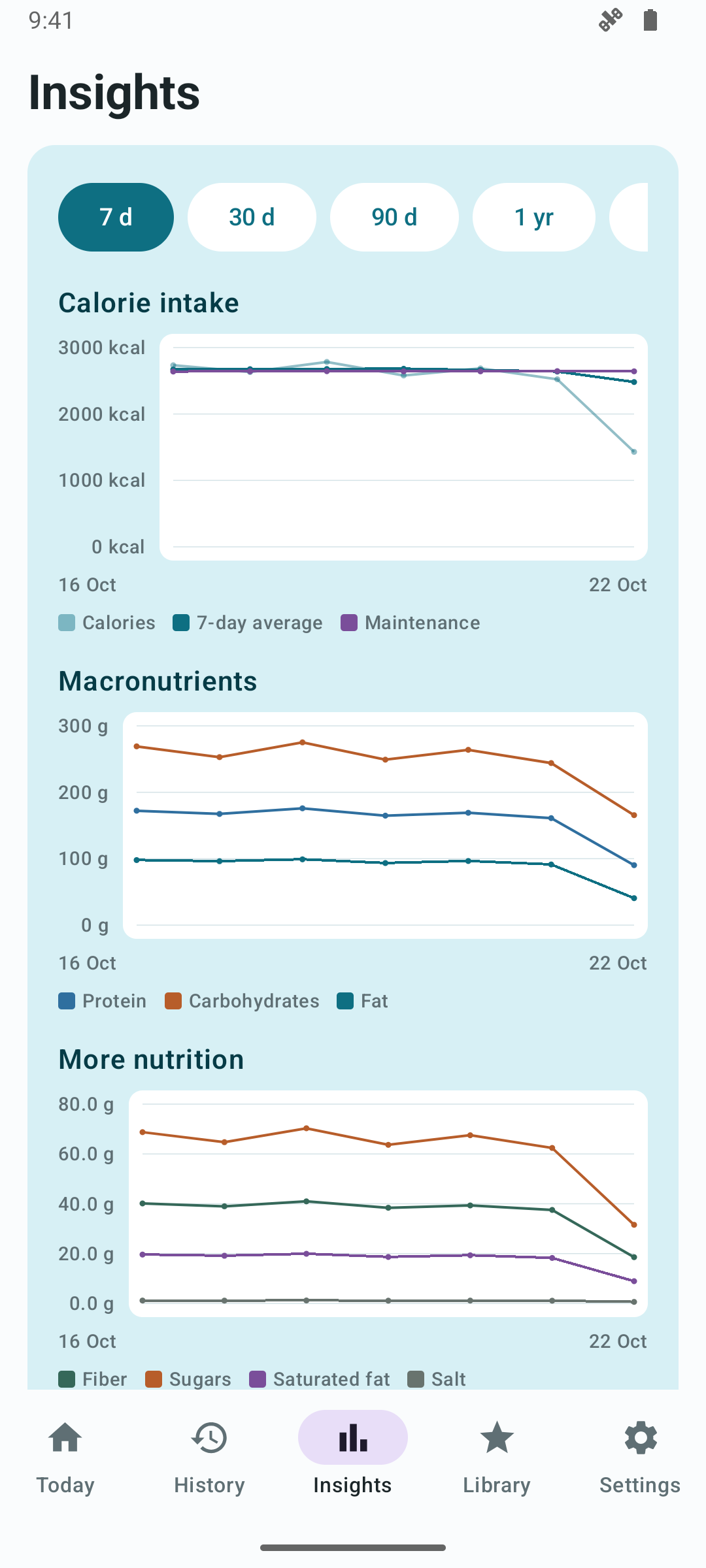
Follow calories, nutrition and weight over time. Charts and averages help you look beyond a single day.
Start without an account. Your diary is stored on your phone, works offline and can be exported whenever you choose.
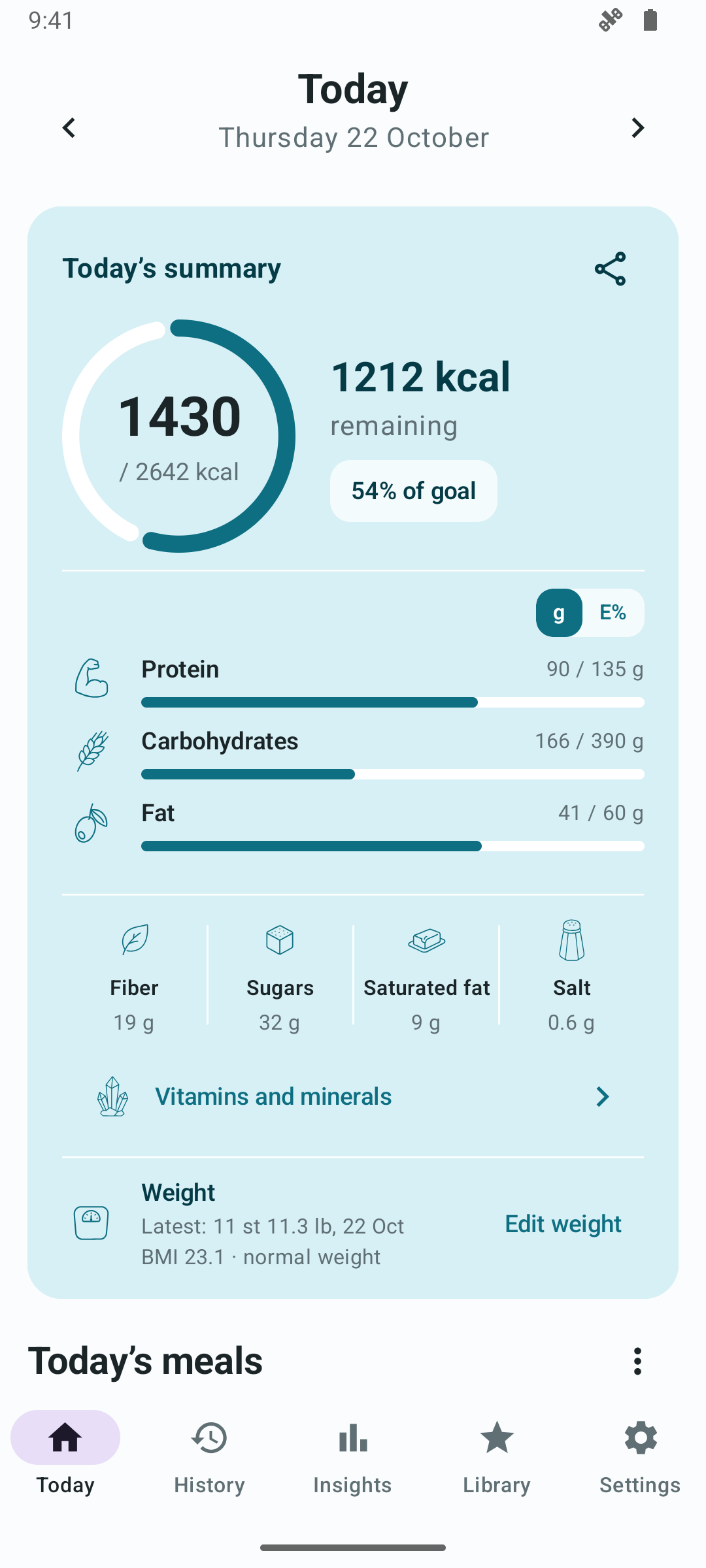
Log meals, foods, grams and portion sizes and get a clear summary of your day.
Track calories, macronutrients, fibre, sugars, saturated fat, salt, vitamins and minerals.
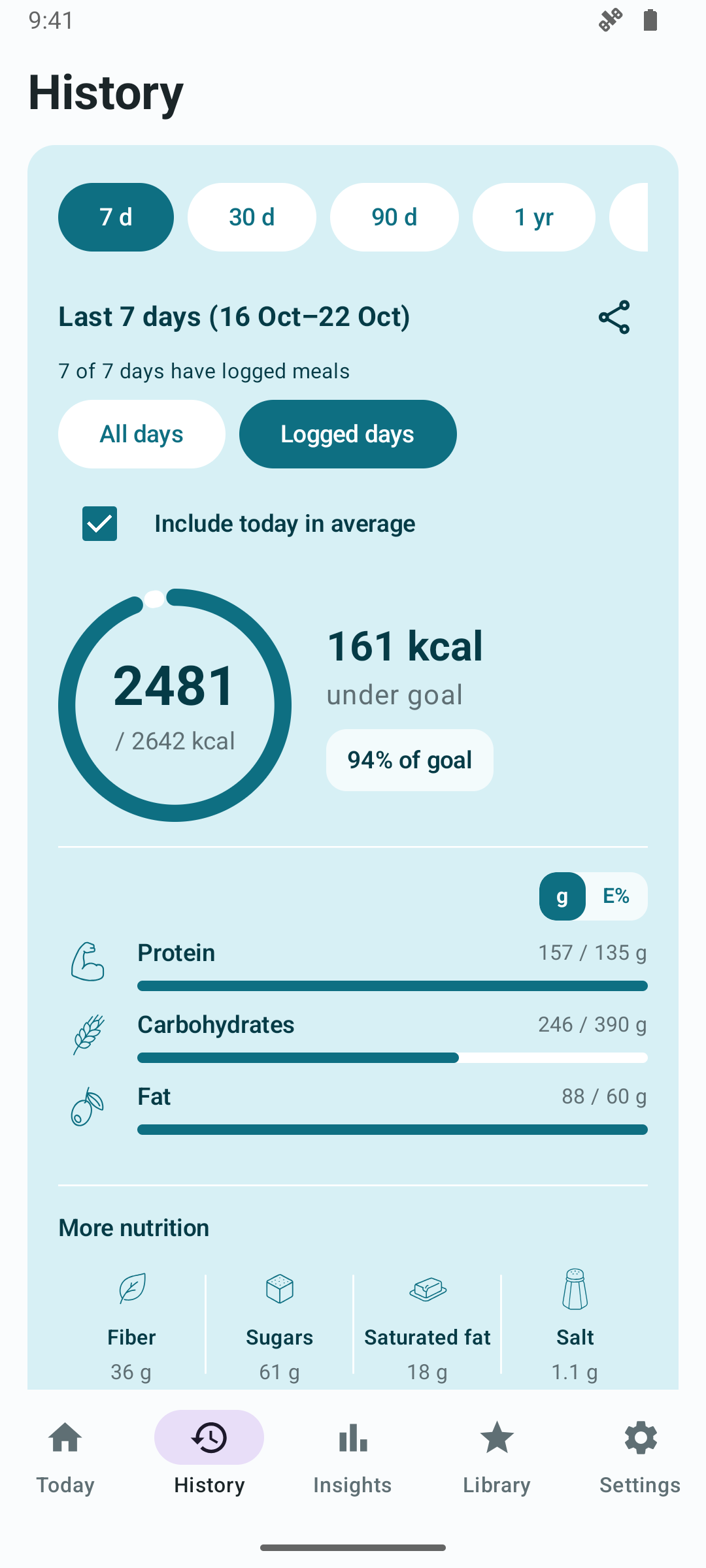
View nutrition averages over 7, 30 or 90 days, one year, all time or a custom date range. Follow calories and weight with rolling 7-day averages.
See charts for calories, macronutrients, other nutrients and weight, plus the top sources of each vitamin and mineral.
Read calories burned, read and write weight, and read and write nutrition records – with permissions you control.
Scan barcodes with your camera to quickly find and add packaged products.
Search bundled Nordic, UK, US, German and French food databases. If an item is missing, you can choose to search Open Food Facts online.
Create your own foods and recipes with calculated nutrition per 100 g and per serving.
Export a ZIP file with CSV files and a JSON backup, then import it again whenever you choose.
Use the app in Swedish, Finnish, Norwegian, Danish, Icelandic, English, German or French.
Find earlier entries within a selected period. Explore amounts and frequency by day, week or month and open the day directly.
Search by product name and brand, and filter local results by source and market. Online search is optional.
Get goal suggestions based on your profile, track weight and choose whether to show BMI. Share daily or history summaries through your phone’s share menu.
Choose on-device Gemini Nano on a supported phone or Gemini Cloud over the internet, including without Nano support. Review food suggestions and estimated quantities before logging.
Choose grams or ounces for food, kg, lb or stone for body weight, and centimetres or feet and inches for height.
From photo to food diary
Photograph your meal for suggested foods and quantities. Review and adjust the suggestions before adding them to your diary. Nutrition is calculated from the food records you select.
Analysis runs locally without uploading the photo. Requires a supported phone and an available Nano model. The app checks support and offers a model download when needed.
The cloud option does not require Nano support. A resized photo is sent to Google with your permission. Select the model in settings or the camera dialog; the app never switches to the cloud automatically.
Approve each cloud photo or remember permission and change it later in settings. The app allows ten started cloud attempts per day. Failed and cancelled attempts also count.
Local-first
Kalorikoll requires no account and has no server of its own. Your food diary, profile, goals, weight logs, favourites, custom foods and recipes are stored locally. Online search is only used when you choose to search Open Food Facts. Health Connect is only used if you connect it and grant permissions.
Gemini Nano analyses photos locally on supported devices. If you choose Gemini Cloud, a resized photo and analysis instructions are sent to Google with your permission. You can approve each photo or remember your choice. Your diary, profile and weight logs are not attached.
Read the full privacy policyData and sources
The Swedish Food Agency, Matvaretabellen (Norway), Fineli (Finland), FCDB (Denmark), CoFID (UK), USDA (US), BLS (Germany) and Anses Ciqual (France) are bundled with the app.
A local subset contains products sold in Sweden, Norway, Denmark, Finland, Iceland, the UK, Germany and France. More products can be found through optional online search.
Search by text or scan a barcode with your camera. Open Food Facts online search is only used when you choose it.
FAQ
No. Kalorikoll is designed to work without an account.
Yes. Your diary, local food search and stored data work offline. Nano analysis runs locally when a supported model is available on the phone. Cloud analysis and online search require internet access; AICore may need internet access to download the model.
Your diary is stored locally. You control exports, sharing and Health Connect. Online search sends search terms or a barcode to Open Food Facts. Cloud photo analysis is a separate choice; see the privacy policy.
Yes. The export creates a ZIP file with CSV files and a JSON backup.
From the Swedish Food Agency, Matvaretabellen, Fineli, FCDB, CoFID, USDA, BLS, Anses Ciqual and Open Food Facts.
With your permission, the app can read calories burned, read and write weight, and read and write nutrition records. You can choose and revoke permissions in Health Connect.
No. Kalorikoll is a tool for personal tracking.
Gemini Nano analyses the image locally without uploading it. If you choose Gemini Cloud, a resized photo and analysis instructions are sent to Google with your permission. You can approve each photo or save Allow in settings. The app does not switch to the cloud automatically.
Now on Google Play
Kalorikoll is now available for Android on Google Play. Start your food diary right away – with no account and your data stored locally.